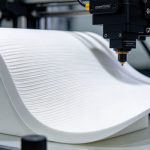
3D Printer Filament Moisture is a common problem that can affect FDM 3D printing quality. When filament absorbs moisture from the air, it may cause popping sounds, bubbles, stringing, and inconsistent extrusion during printing.
Different materials, including PLA, PETG, TPU, Nylon, and PC, have different moisture absorption characteristics. Understanding how 3D Printer Filament Moisture affects printing can help you identify problems and avoid unnecessary material waste.
Understanding how to identify wet filament, recognize its effects, and store it properly can help prevent printing failures and material waste. Here are six frequently asked questions about 3D printer filament moisture.
How Can I Tell If My 3D Printer Filament Has Absorbed Moisture?
| Moisture Level | Appearance / Sound Characteristics | Printing Performance Issues |
|---|---|---|
| Mild | No obvious visible changes; occasional faint crackling sounds during heating | Rough edges on fine models, small bubbles, and slight reduction in strength |
| Moderate | Noticeably dull filament surface; continuous popping or crackling sounds during heating | Significant stringing, material leakage, surface pitting, poor layer adhesion, and reduced dimensional accuracy |
| Severe | Filament becomes brittle, breaks easily, or feels soft; loud popping sounds during heating | Frequent nozzle clogging, filament breakage, excessive porosity in models, and printing failures |
What Happens When Printing with Wet Filament?
When moisture reaches the hotend, it can turn into steam during extrusion. This disrupts the flow of molten plastic and may create bubbles, gaps, and inconsistent material deposition.
During printing, you may notice:
- Hissing or popping sounds near the nozzle.
- Irregular extrusion and fluctuating filament flow.
- More visible stringing between printed sections.
- Rough or inconsistent layer surfaces.
- Reduced bonding between deposited layers.
These problems can make printing less predictable, particularly when producing detailed or functional components.
How 3D Printer Filament Moisture Affects Print Quality?
Moisture-related defects can remain visible after a print is completed. Depending on the material and the degree of moisture absorption, the finished part may show:
| Print defect | Possible result |
|---|---|
| Bubbles and pores | Small holes or a rough surface |
| Uneven extrusion | Inconsistent lines and poor surface finis |
| Weak layer bonding | Reduced strength between layers |
| Stringing and oozin | Fine plastic strands and unwanted material |
| Surface imperfection | Blobs, pits, and uneven detail |
For functional parts, poor layer bonding and internal voids can also reduce mechanical reliability. Dry filament helps achieve more consistent printing results.
3D Printer Filament Moisture: Material Differences
Different polymers absorb moisture at different rates. Some materials require more careful storage than others.
| Filament Material | Moisture Sensitivity | Storage Consideration |
|---|---|---|
| PLA | Relatively low | Keep sealed when not in use |
| ABS / ASA | Moderate | Use airtight storage |
| PETG | Moderate | Store with desiccant |
| TPU | High | Keep dry and sealed |
| PA / Nylon | Very high | Dry before printing when necessary |
| PC | High | Use controlled dry storage |
| PVA / BVOH | Very high | Protect carefully from humidity |
These are general comparisons, not fixed rankings for every formulation. Actual moisture absorption depends on the polymer grade, additives, environmental humidity, and exposure time.
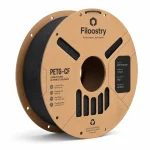
Carbon fiber reinforced filaments such as PLA-CF and PETG-CF generally follow the moisture behavior of their base polymers. Carbon fiber reinforcement does not make the material moisture-proof.
How to Prevent 3D Printer Filament Moisture Problems?
Proper storage is the simplest way to reduce moisture-related printing problems.
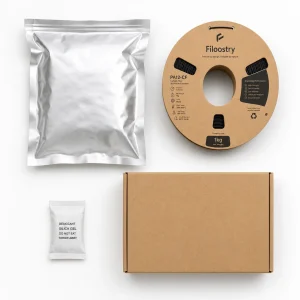 Follow these practical tips:
- Use Airtight Bags: Seal opened filament spools after use to limit exposure to humid air.
- Add Desiccant: Place silica gel or another suitable desiccant inside the storage container.
- Choose Dry Storage: Use a sealed filament box or dry cabinet for frequently used materials.
- Avoid Humid Environments: Keep spools away from bathrooms, kitchens, and other damp areas.
- Secure the Filament End: Prevent tangling when removing and storing spools.
For moisture-sensitive materials, a dedicated filament dryer or dry box can provide additional protection during storage and printing.
Can I Dry Wet 3D Printer Filament and Use It Again?
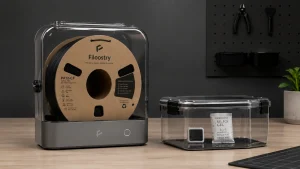 In many cases, yes. Moisture-affected filament can often be restored through controlled drying, provided that the material has not suffered other forms of damage.
Before drying, check the recommended temperature and drying duration for the specific material. Different polymers require different conditions, and excessive heat may deform the spool or damage the filament.
After drying, store the spool in an airtight container with desiccant. For particularly moisture-sensitive materials, consider printing directly from a dry box.
If the filament has become brittle, contaminated, or physically damaged, drying alone may not restore its original performance.
Final Thoughts: Keep Your Filament Dry for Better Printing
Moisture management is an important part of consistent FDM 3D printing. From PLA and PETG to TPU, Nylon, and carbon fiber reinforced materials, each filament has different storage requirements.
By recognizing moisture-related printing symptoms, choosing suitable drying methods, and using proper storage solutions, you can reduce printing defects, improve part quality, and make better use of your filament.